
ClassicBoy Pro - Game Emulator
PortableAndroidArcade
3.9854.00 Reviews
- Version
- 7.3.6
- Installs
- 1.00M
- Age Rating
- Everyone
Screenshots
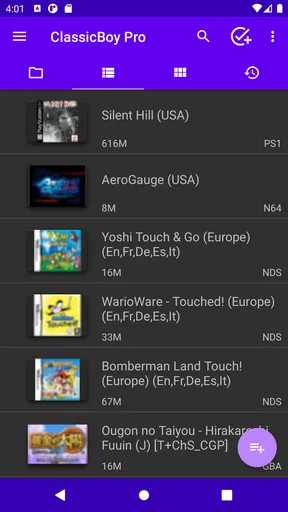
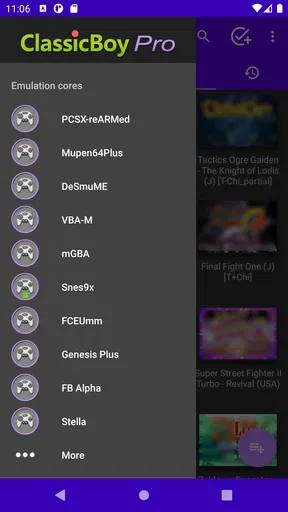
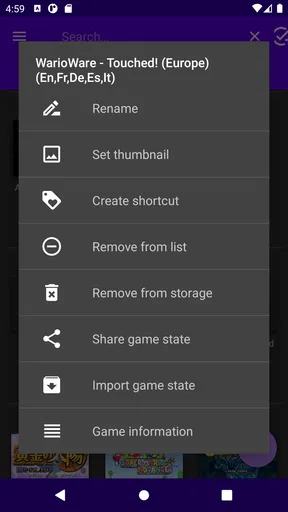
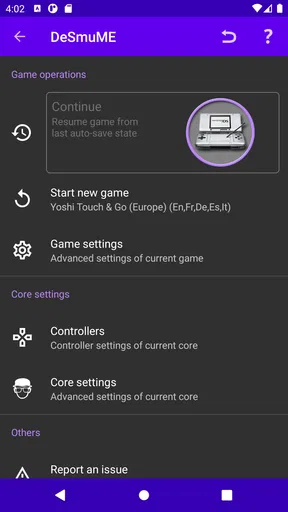
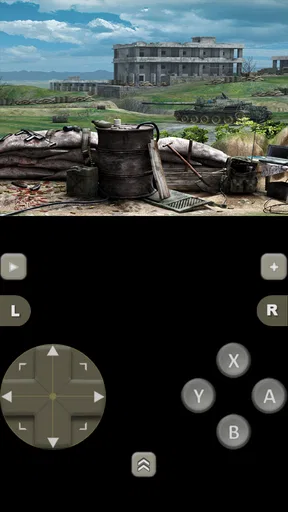
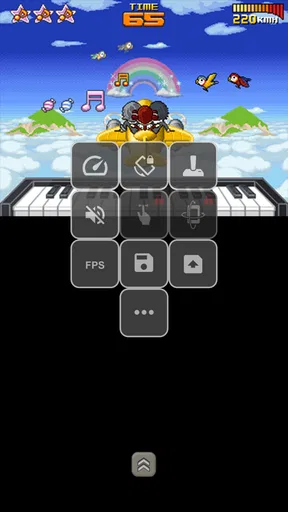
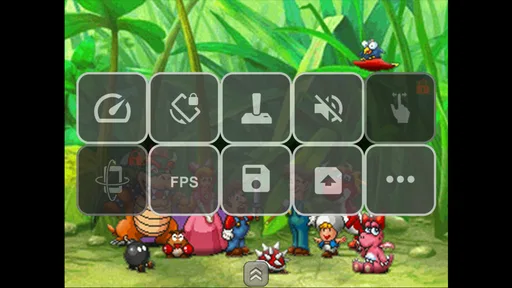
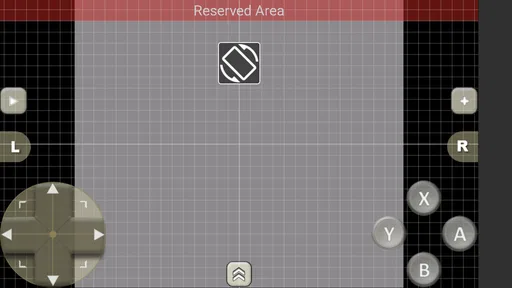
Our Review of ClassicBoy Pro - Game Emulator
 Analysis by Appyee
ClassicBoy Pro is an unusual kind of arcade game because it is not a single game at all. It is a retro emulator from PortableAndroid, built for people who want to bring their own classic-game collection into one Android app. I found the appeal immediate: instead of opening several separate tools, I could scan compatible ROM files, arrange them into playlists, and jump into familiar games from one place. That convenience is the real hook, although it also means the quality of the experience depends heavily on the games you already own and the way you organize them.
As a free app with an Everyone content rating, it is easy to approach, and its current version is 7.3.6. The app has passed the one-million-install mark and holds a 3.9 average from roughly 9.6 thousand ratings, which gives a useful picture: plenty of people find value in the concept, but this is not a universally effortless experience. I would recommend it most strongly to Android users who already have a carefully managed ROM library and want a practical front end for short retro sessions.
How ClassicBoy Pro feels when you only have a few minutes
The best way to judge this app is not by imagining a long evening with one carefully selected title. Its strength appears when I have a small pocket of time and want to start something quickly. A playlist removes much of the rummaging that usually comes with emulation. Rather than searching through folders every time, I can keep the games I return to most often together and make the first few seconds of a session feel more deliberate.
That matters for arcade-style use. Retro games often deliver their pleasure quickly, but only if the path from opening the emulator to reaching the game is short. ClassicBoy Pro makes that path more manageable by combining scanning, library organization, and launching in one place. The app is therefore less about discovering new content and more about reducing friction around content I already recognize.
I would not describe the opening experience as identical to launching a dedicated game. There is still the practical work of preparing a library, checking that files are visible, and learning how the app presents them. The initial setup can feel like maintenance rather than play. Once that work is done, however, the benefit becomes clearer: the app turns a loose collection of ROMs into something closer to a personal retro shelf.
For a short session, that distinction is important. If I want one quick round while waiting for an appointment, I do not need a large amount of content. I need a dependable route to a familiar title. The playlist approach helps with that, especially when I separate games by mood rather than by technical category. A small list for fast action, another for slower exploration, and one for games I am still learning can make the library feel much less cluttered.
Why the all-in-one approach is useful
Compared with using separate emulators for every system, an all-in-one app can feel calmer. I do not have to remember which application handles which game, and I avoid maintaining several different menus. That is the clearest everyday advantage here. The app becomes a single doorway into a varied retro collection rather than another isolated tool on the phone.
There is a trade-off, though. Dedicated emulators can sometimes feel more focused because their menus, controls, and settings are built around one platform. ClassicBoy Pro asks me to accept a broader interface. If I only care about one particular console or one specific control style, a specialist alternative may be easier to understand. The wider scope is valuable when I want variety, but it is not automatically better for a single-system enthusiast.
The app also makes more sense for someone who enjoys curating. Scanning ROMs sounds simple, but the real payoff comes from deciding what belongs in the library and how it should be grouped. I found that a tidy collection improves the experience more than adding dozens of extra titles. A smaller, well-organized playlist gets me playing faster than a huge folder with no structure.
One practical tip is to treat playlists as session tools rather than permanent archives. I can create a compact group for games that work well in five-minute bursts and another for longer visits. This avoids the common emulator problem of spending more time browsing than playing. It is a small organizational choice, but it changes the app from a file browser into a more inviting arcade shelf.
The real rhythm: start, play, stop, return
ClassicBoy Pro is at its best when a session has a clear beginning and an easy stopping point. Retro games naturally support this because many are built around rounds, stages, attempts, or repeatable challenges. I can play until I reach a natural break, leave the app, and come back later without feeling that I have abandoned a complicated live-service routine.
That makes the app suitable for people who dislike games that demand constant attention. There are no social obligations built into the basic idea, no daily schedule I need to protect, and no need to keep up with other players. The pleasure comes from revisiting a known game and improving my own handling of it. For me, that is a refreshing contrast to mobile games that interrupt a short break with timers, notifications, or layered reward screens.
The experience is not completely interruption-proof. A phone call, a notification, or an accidental gesture can still break concentration, and emulation adds another layer between the game and the operating system. I would not rely on it for a critical moment in a long playthrough unless I had already tested how my particular device behaves when leaving and returning. The app is convenient, but convenience is not the same as guaranteed continuity in every situation.
Returning after a break
The strongest short-session quality is that I can return to a familiar title without having to rebuild the whole context. Playlists help me remember what I meant to play, which is more useful than it sounds. When a collection grows, memory becomes a poor navigation system. A visible shortlist gives the next session a starting point.
I also like that the app encourages a different relationship with older games. Instead of treating them as large projects that require a free evening, I can use them as small repeatable visits. A few attempts at a difficult stage, one quick arcade run, or a short revisit to a favorite section can be satisfying even when I do not have time to commit to a full campaign.
Still, I would be careful about assuming that every game will be equally comfortable for brief visits. Some classics are designed around memorization and repeated failure, so the first few minutes may feel punishing rather than relaxing. ClassicBoy Pro can make access easier, but it cannot change the design of the original game. If I want instant success with no learning curve, this is not the right kind of entertainment.
Controls, comfort, and the limits of a phone screen
The biggest practical question for many users is not whether the app can organize a library, but whether playing on a phone feels good. Touch controls can work well for slower games and menus, yet they are less convincing when a title demands fast directional changes or several simultaneous inputs. My enjoyment depends on the original game as much as on the emulator.
This is where expectations matter. A phone is wonderfully portable, but its flat screen does not reproduce the feel of a dedicated handheld or physical controller. If I am playing casually, the convenience may outweigh the compromise. If I am chasing precise timing or trying to complete a demanding challenge, the lack of tactile feedback becomes more noticeable.
I would therefore decide based on the games I plan to play, not on the emulator label alone. Puzzle-oriented or turn-based classics are easier to enjoy in short sessions with touch input. Reflex-heavy arcade games can still be fun, but I would be more selective about them. A compatible external controller may improve the experience, but the important point is that the app should be seen as a flexible access tool, not a promise that every retro title will feel perfect on a touchscreen.
Another useful habit is to test one representative game before importing an entire collection. If the controls feel awkward in that title, a larger library will not solve the problem. This simple check can save time and helps reveal whether the all-in-one format suits the way I actually play.
Library management is the hidden strength
The scanning and playlist features are more important than the store-style summary might suggest. Emulation apps can become messy when files are spread across folders or named inconsistently. A scan gives me a faster starting point, while playlists let me impose a personal structure on the results. That is especially helpful when I use the phone as a portable archive rather than as a device for one favorite game.
I found that organization works best when I keep categories meaningful and limited. Sorting only by system may be technically neat, but it does not always answer the question I have when I open the app: what do I feel like playing right now? Groups based on session length, difficulty, or mood are more actionable. This is one of the app’s less obvious strengths because it turns a technical collection into a human-friendly menu.
There is also a downside to the all-in-one model: more options can create more decision-making. If I import everything at once, the library may become impressive but less inviting. I recommend starting with a small set, checking how the scan presents it, and then adding more gradually. ClassicBoy Pro rewards curation; it does not automatically create a perfect library for me.
Users should also remember that the emulator itself is not the same thing as a game collection. The app’s value comes from managing and running compatible ROM files that the user is entitled to use. That distinction is important both practically and legally. Someone expecting the app to arrive as a ready-made catalogue of classic games will likely be disappointed, while someone with an existing personal collection will understand its purpose much more quickly.
Replay value comes from the games, not from app rewards
ClassicBoy Pro does not need a conventional progression system to be replayable. Its replay value comes from the nature of retro games and from the ease of keeping favorites close at hand. I can return to a title to improve a score, beat a previous obstacle, test a different approach, or simply enjoy a familiar soundtrack and rhythm.
That kind of replay is honest but narrow. The app does not transform an old game into a new one, and it cannot provide the constant novelty of a modern arcade platform with regular content updates. If I need fresh challenges delivered automatically, I would look elsewhere. If I enjoy mastering a fixed set of games, the lack of endless content is less of a problem.
The most effective routine I found was to keep a rotating playlist. Instead of allowing one favorite to dominate the library, I could choose a handful of titles and revisit them over several days. This creates variety without the exhausting choice of browsing every file. It also makes short sessions feel intentional: I know what is available, but I am not locked into one game.
Another trade-off is nostalgia. Familiarity can make a game immediately enjoyable, but it can also expose its age. Some older mechanics feel wonderfully direct; others feel stiff after years of modern design improvements. ClassicBoy Pro is a good way to test that feeling for myself, but it will not make every classic age gracefully. I would approach it with curiosity rather than assuming every remembered favorite will still be a perfect fit.
Cost, version, and who should use it
The app is free to download, with in-app purchases ranging from $1.49 to $8.99 per item. That makes trying the basic experience relatively approachable, but I would still check which functions matter to me before spending anything. The important question is not simply whether the app costs nothing at the start; it is whether its organization and emulation workflow are useful enough for my collection.
Because the minimum operating-system requirement is Android 5.0, it can suit users with older Android phones as well as people on newer devices. That broad compatibility is helpful for a retro tool, particularly if I want to dedicate an older handset to gaming. Performance and comfort can still vary by device and game, so I would judge the experience on the phone I actually plan to use rather than assuming the same result everywhere.
The Everyone rating also makes the app approachable for a wide audience, but the rating does not mean every included ROM is suitable for every person. The emulator is a container and organizer; the content comes from the games a user chooses to run. Parents should therefore think about the individual titles in a child’s library, not only the app’s general age label.
I see three especially good audiences. The first is a retro fan with a personal ROM collection who wants one organized launcher. The second is a casual player who likes short, self-contained visits and does not want a modern game demanding constant engagement. The third is someone exploring older games across several systems and willing to spend a little time learning the library workflow.
I would skip it if I want a polished, ready-to-play catalogue with no setup. I would also look for a dedicated emulator if my interest is limited to one platform and I care more about specialized controls than broad organization. Finally, people who dislike managing files or troubleshooting an imperfect setup may find the all-in-one promise less convenient than expected.
My everyday test: a small break instead of a long commitment
In a realistic daily situation, I might have ten minutes before leaving home or while waiting for food. I open the app, choose a playlist built around quick sessions, and select a familiar title rather than scrolling through a full archive. That sequence is where ClassicBoy Pro earns its place. The game starts from a personal shortlist, the session has no required schedule, and I can stop after one attempt without feeling that I have missed a timed event.
The same scenario also exposes the limits. If the selected game needs a long opening sequence, careful setup, or precise touch controls, the short break becomes less satisfying. The app helps me reach the content, but it cannot guarantee that the content itself respects my available time. Good playlist design is therefore part of the experience, not an optional extra.
For a longer evening, the app becomes a convenient hub, but I am less convinced that it is always the best specialist tool. A dedicated emulator may offer a cleaner relationship with one system, while a modern retro collection may provide built-in presentation and less file management. ClassicBoy Pro sits between those choices: broader and more flexible than a single-purpose tool, but more hands-on than a curated commercial collection.
My casual verdict
I came away seeing ClassicBoy Pro as a practical retro doorway rather than a traditional arcade game. Its best qualities are immediate access to a personal library, playlist-based organization, and a session rhythm that fits small breaks. When I want to play for a few minutes, return later, and avoid the pressure of a modern service game, it does the job well.
Its weaknesses are equally clear. Setup and library management still require patience, touch controls will not suit every classic, and the replay value depends on the ROMs I bring to the app. The all-in-one design saves space and mental effort once organized, but it can feel less focused than a dedicated alternative.
My recommendation is straightforward: choose it if you already have legitimate compatible ROMs, enjoy revisiting older games, and value a single library over a specialized emulator. Start with a small playlist, test the controls with the games you care about, and build from there. Skip it if you want instant access to a curated catalogue or expect every title to feel equally comfortable on a phone.
For my style of casual play, the app succeeds because it makes returning easy. It does not manufacture excitement through rewards or constant updates; it relies on the lasting appeal of the games themselves. That is a modest promise, but for the right retro player, the reduced friction between a free moment and a favorite classic is the feature that matters most.
PortableAndroid has made a useful choice by putting scanning, playlists, and emulation into one Android-focused package. I would not call it flawless, and I would not recommend it blindly to someone unfamiliar with ROM management. But once the library is prepared, it offers a comfortable way to turn scattered classics into short, repeatable sessions. For anyone who values immediate pleasure, easy pauses, and replay built around personal favorites, ClassicBoy Pro is worth trying.
Verdict
Strengths of ClassicBoy Pro - Game Emulator
- Supports multiple classic console systems in one app.
- Customizable on-screen controls and external controller support.
- Save states make it easy to pause and resume games.
- Offers cheat-code support for compatible titles.
- Premium version removes ads and adds extra customization options.
Limitations of ClassicBoy Pro - Game Emulator
- Legal access to game ROMs is the user's responsibility.
- Some systems and features may require the Pro upgrade.
- Performance can vary depending on the device and emulator core.
- Touch controls may feel cramped during fast-paced games.
- Initial setup can be confusing for users unfamiliar with emulators.
Similar Picks in This Category
View All
Subway Surfers
SYBO Games4.6

Stickman Party 234 MiniGames
PlayMax Game Studio4.6

Subway Princess Runner
Ivy4.4

Temple Run
Imangi Studios4.2

Zombie Tsunami
Mobigame SAS4.6

Stack Ball - Crash Platforms
CASUAL AZUR GAMES4.5
Frequently Asked Questions
What is ClassicBoy Pro - Game Emulator, and which consoles does it support?
ClassicBoy Pro is a multi-system emulator for Android that lets you play games from several classic platforms in one application. Depending on the version and device, it can support systems such as PlayStation, Nintendo 64, Game Boy, Game Boy Color, Game Boy Advance, NES, SNES, Sega Genesis, Sega CD, and more. Compatibility may vary, so checking the current in-app system list is recommended.
Does ClassicBoy Pro include games, or do I need to provide my own ROM files?
ClassicBoy Pro does not normally include copyrighted games with the download. You are expected to use legally obtained ROM files from games you own and import them into the emulator. After copying compatible files to your device, the app can scan selected folders and display the available titles. Downloading unauthorized ROMs may violate copyright laws in your country.
How well does ClassicBoy Pro perform on Android phones and tablets?
Performance depends on the console being emulated and the hardware inside your Android device. Older systems usually run smoothly on modest phones, while PlayStation or Nintendo 64 titles may require a stronger processor and careful graphics settings. During testing, adjusting the video renderer, frame skip, resolution, and audio options can help reduce stuttering or improve compatibility.
What controls and features are available in ClassicBoy Pro?
The emulator provides on-screen controls and commonly supports external gamepads, allowing you to choose the setup that feels most comfortable. It also offers features such as save states, loading states, controller customization, cheats on supported systems, fast-forwarding, screenshots, and configurable audio or video settings. Some features may behave differently depending on the selected console core.
Is ClassicBoy Pro free, and is it safe to download?
ClassicBoy Pro may be available as a paid or premium version, depending on the store listing and region, and the exact features can change with updates. Downloading it from the official Google Play Store is the safest option because it reduces the risk of modified or malicious files. Before installing, review permissions, recent user feedback, device compatibility, and the developer’s privacy information.
Play our best games!


